
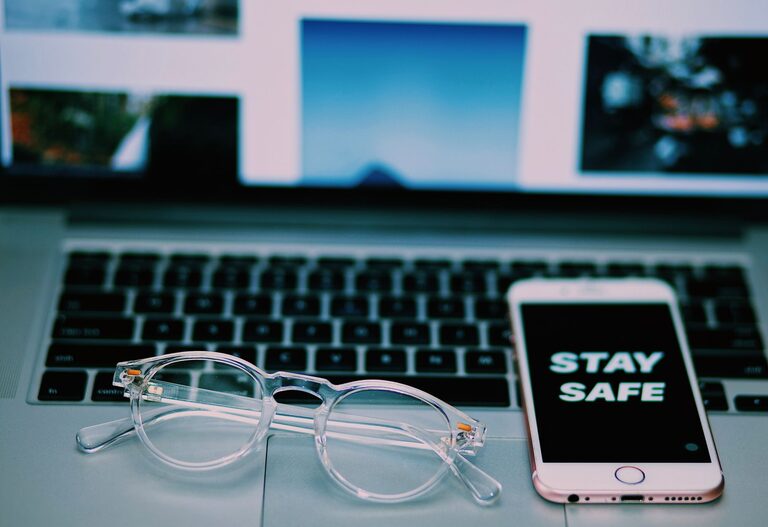
Keeping your phone and keyboard clean is essential not only for maintaining their appearance but also for hygiene and proper functioning. These devices are among the most frequently touched items we use daily, making them hotspots for germs and dirt accumulation. However, cleaning them requires care to avoid damaging sensitive components. This guide will walk you through safe and effective ways to clean your phone and keyboard.
Why Clean Your Phone and Keyboard?
Phones and keyboards collect dust, oils from your skin, food particles, and bacteria. Over time, this buildup can affect how well your devices work and may contribute to the spread of germs. Regular cleaning helps:
– Maintain device performance
– Extend device lifespan
– Reduce the risk of illness
– Improve appearance
General Precautions Before Cleaning
Before you start, keep these tips in mind to ensure safe cleaning:
– Turn off and unplug devices: Always power down your phone and unplug your keyboard from the computer to avoid electrical issues or accidental inputs.
– Remove cases and accessories: Take off phone cases or keyboard covers if possible to clean them separately.
– Avoid harsh chemicals: Never use bleach, ammonia, or abrasive cleaners, as they can damage screens and plastic surfaces.
– Use gentle materials: Soft microfiber cloths, cotton swabs, and soft brushes are best to prevent scratches.
– Avoid excess moisture: Liquids can seep into openings and damage internal components.
How to Clean Your Phone Safely
Phones have delicate screens and sensitive parts, so follow these steps carefully:
What You’ll Need
– Soft microfiber cloth
– Distilled water or a 70% isopropyl alcohol solution
– Cotton swabs
– Small soft brush (optional)
– Phone-safe cleaning wipes (optional)
Step-by-Step Cleaning
- **Power off your phone.**
- **Remove the case and any screen protectors if possible.**
- **Wipe the phone gently with a dry microfiber cloth** to remove dust and fingerprints. Use light pressure.
- **Dampen a corner of the cloth with distilled water or the alcohol solution.** Remember, the cloth should be slightly damp, not wet.
- **Gently wipe the phone’s surfaces with the damp cloth.** Avoid getting moisture into openings like charging ports, speaker holes, and buttons.
- **Use cotton swabs dipped in the solution to clean small crevices and around buttons carefully.**
- **If using screen-safe wipes, follow the manufacturer’s instructions.**
- **Let the phone air dry completely before turning it back on or reassembling accessories.**
Tips for Special Surfaces
– Screens: Avoid paper towels or abrasive cloths which can scratch.
– Ports and speakers: Use a dry soft brush or compressed air to remove debris gently.
– Cases: Clean separately with soap and water if plastic or silicone; leather cases may require specialized cleaners.
How to Clean Your Keyboard Safely
Keyboards can collect particles under and between keys, so a thorough cleaning is helpful.
What You’ll Need
– Soft microfiber cloth
– Isopropyl alcohol (70%) or disinfectant wipes safe for electronics
– Cotton swabs
– Compressed air can
– Small brush (optional)
Step-by-Step Cleaning
- **Turn off your computer or unplug your keyboard.**
- **Hold the keyboard upside down and gently shake** to dislodge loose debris.
- **Use compressed air to blow out dust and crumbs** from between the keys. Hold the can upright and use short bursts.
- **Wipe the keyboard surface with a dry microfiber cloth** to remove surface dust.
- **Dampen a cloth or cotton swab with isopropyl alcohol and clean the keys and keyboard surface carefully.** Avoid letting any liquid drip inside.
- **For mechanical keyboards, you may consider removing keycaps** for a deeper clean. Refer to your keyboard manual for instructions. Clean the keycaps separately with mild soap and water, then dry completely before reinstalling.
- **Let everything dry fully before reconnecting or powering on.**
Additional Keyboard Care Tips
– Regularly clean to avoid buildup.
– Avoid eating over the keyboard to minimize debris.
– Consider keyboard covers that can be removed and washed.
Maintaining Clean Devices Daily
In addition to deep cleaning, here are simple daily habits:
– Wash your hands before using devices.
– Use a stylus or gloves in shared spaces.
– Store devices in clean areas to reduce dust exposure.
– Wipe screens and surfaces with a dry microfiber cloth regularly.
Conclusion
Cleaning your phone and keyboard safely doesn’t have to be complicated or risky. With the right materials and gentle methods, you can keep your devices looking great and operating smoothly. Regular attention to cleanliness benefits both your device longevity and personal hygiene. Set a routine that fits your usage, and your tech will thank you!
—
Feel free to share your own cleaning tips or ask questions in the comments below!
About the Author